vCard QR Code for Business Cards: The Complete Guide
Replace traditional business cards with vCard QR codes. Share your contact details instantly with a single scan. Modern networking made simple.
Published on June 5, 2026 · Last updated October 1, 2026
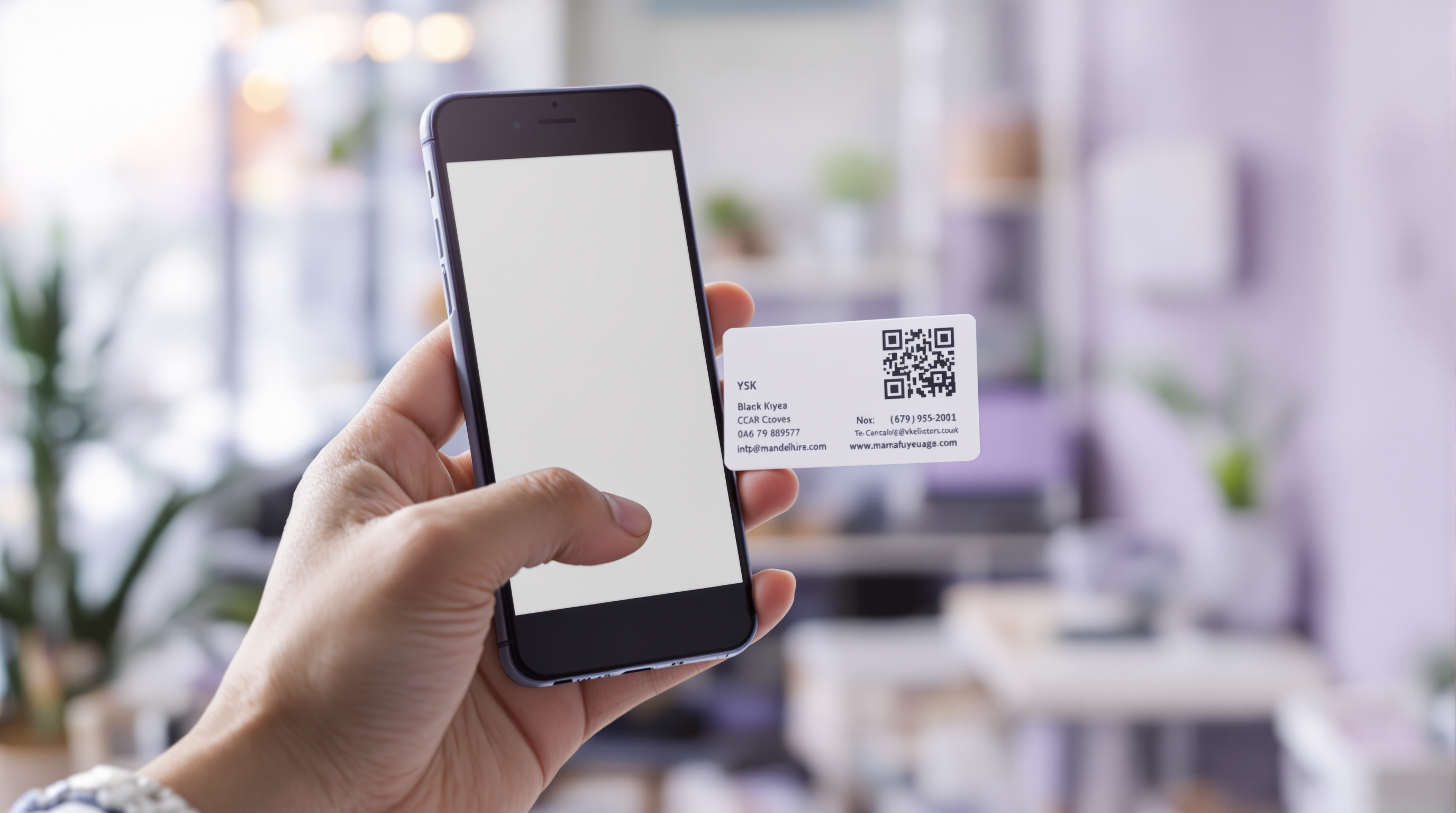
Key takeaways
- A vCard QR code saves your full contact details straight to a phone.
- It can hold your name, phone, email, company, website and address.
- Static vCards never expire; update prints only if your details change.
- Keep the code 2–2.5 cm on a business card and test before printing.
Say Goodbye to Paper Business Cards
Traditional business cards have a fundamental problem — they're easy to lose, hard to update, and terrible for the environment. Every year, billions of paper business cards are printed, and most end up in the trash within days. vCard QR codes offer a modern, sustainable, and more effective alternative.
A vCard QR code contains all your contact information — name, phone, email, address, company, website, and more — encoded in a format that smartphones instantly recognize. When someone scans your QR code, your contact details are saved directly to their phone.
What Information Can a vCard QR Code Include?
vCard QR codes can encode a comprehensive set of contact details:
- Full name
- Phone number
- Email address
- Company name and job title
- Website URL
- Physical address
- Social media profiles
When scanned, all this information populates automatically into the phone's contacts app — no manual typing required.
Benefits of vCard QR Codes
Always Up-to-Date
Changed jobs? New phone number? With digital vCard QR codes, you update once and everyone who scanned your code has your latest information. No more crossing out old details on paper cards.
Eco-Friendly
Digital vCards eliminate paper waste entirely. If you must have a physical form, print one QR code on a reusable card or badge instead of hundreds of disposable paper cards.
Instant Sharing
Share your contact details in person, via messaging apps, in email signatures, on social media, or on your website. The same QR code works everywhere.
Better Networking
At conferences and networking events, vCard QR codes speed up the connection process. No fumbling for business cards — just scan and connect.
How to Create a vCard QR Code
Creating your digital business card takes seconds with our vCard QR Code Generator:
- Select the "vCard" category in the QR generator
- Fill in your contact details — name, phone, email, company, address
- Preview your QR code in real-time
- Download in PNG, JPG, or SVG format
- Add to your website, email signature, or print on a card
Using vCard QR Codes in Different Contexts
- Email Signatures — Add a small vCard QR code to your email footer for instant contact saving
- Conference Badges — Print your QR code on your event badge for easy networking
- Website Contact Page — Let visitors save your details with a single scan
- Resumes and CVs — Include a QR code so recruiters can save your contact info instantly
- Storefront Windows — Display vCard QR codes for passersby to save your business details
Conclusion
vCard QR codes represent the evolution of business networking. They're faster, more sustainable, more flexible, and more effective than traditional paper business cards. Whether you're a freelancer, business owner, or corporate professional, making the switch to vCard QR codes is one of the smartest networking moves you can make in 2026.
Frequently asked questions
What is a vCard QR code?
A vCard QR code encodes your contact details in the standard vCard format, so scanning it offers to save your name, phone, email and more straight into the phone.
Do vCard QR codes expire?
Static vCard codes never expire. If your details change you simply create a new code, so keep the printed version up to date.
What should I include in a vCard?
Include your name, phone, email, company and website at minimum. Add job title, address and social links if they are useful to the people who scan it.
Can I add a vCard QR code to my email signature?
Yes. A small vCard code in your email footer lets recipients save your details in one scan without typing.
QR Generator Editorial Team
Verified AuthorOur editorial team at QR Generator Online writes and reviews every article to keep it accurate, clear and genuinely useful. Each piece is fact-checked against current QR code standards, including the ISO/IEC 18004 specification, and updated when the details change. No fluff, no filler — just practical guidance you can apply right away.
Cite This Page
APA (7th Edition)
QR Generator Online. (2026-10-01). vCard QR Code for Business Cards: The Complete Guide. Retrieved ..., from https://qrgenrateronline.com/blog/vcard-qr-code-business-cards
MLA (9th Edition)
“vCard QR Code for Business Cards: The Complete Guide.” QR Generator Online, 2026-10-01. Web. .... <https://qrgenrateronline.com/blog/vcard-qr-code-business-cards>.
Chicago
QR Generator Online. “vCard QR Code for Business Cards: The Complete Guide.” Last modified 2026-10-01. Accessed .... https://qrgenrateronline.com/blog/vcard-qr-code-business-cards.
Citation formats provided for academic and professional reference. Always verify against your institution's style guide.
Create your digital business card
Build a vCard QR code with your name, phone, email and website, then download it in high resolution.
Create a vCard QR codeRelated articles

How to Create a QR Code for Free (Step by Step)
Learn how to create beautiful, high-resolution QR codes online without paying a cent. Complete guide with step-by-step instructions for URLs, text, email, Wi-Fi, and more.

QR Codes for Business: A Complete Guide for 2026
Discover how businesses are using QR codes to boost customer engagement, streamline operations, and increase sales. Real examples and best practices included.

WiFi QR Code Guide for Home and Business
Stop spelling out your Wi-Fi password! Learn how to create Wi-Fi QR codes that let guests connect instantly. Perfect for cafes, hotels, offices, and home use.